
What the demo shows
The demo instance at demo.softwarefabrik.io is the identical platform you'd install locally — including read-only reviewer, quality gate, dashboard charts and license UI. Different are only:
- Auto-login as demo visitor — every visitor lands as user
demoon the dashboard. No password, no account. - Mock adapter is default — coding runs use the
mockadapter and consume no external API tokens. - Static reviewers active — the quality gate can run
security,architecture-reviewerandhallucination-reviewwithout external tools. - Daily reset at 04:00 UTC — database and workspaces reset every night.
Recommended tour (~10 minutes)
-
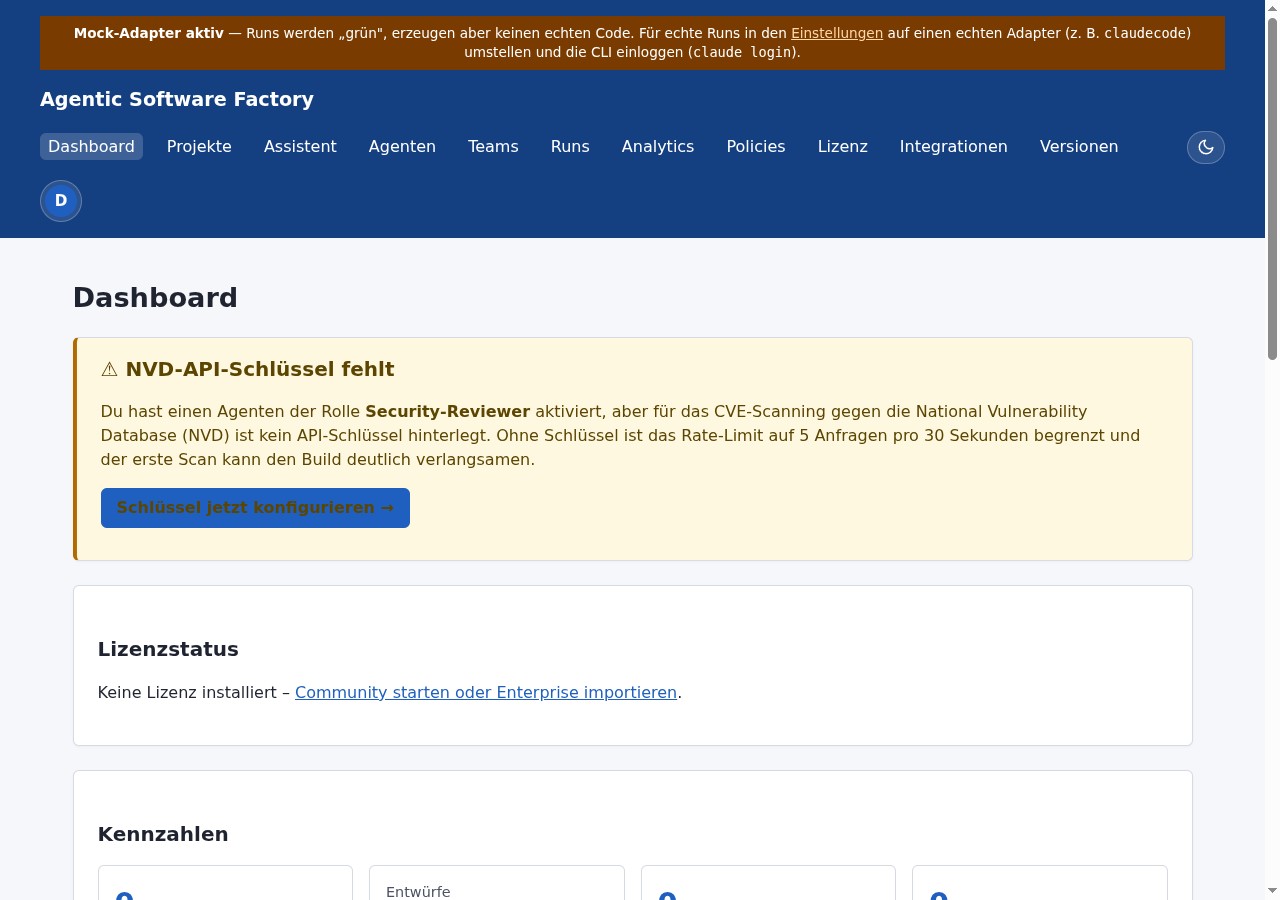
Look at the dashboard
Metrics, three charts (run activity 14 days, project and run status), demo banner on top. Empty on first visit — changes after step 3.
-
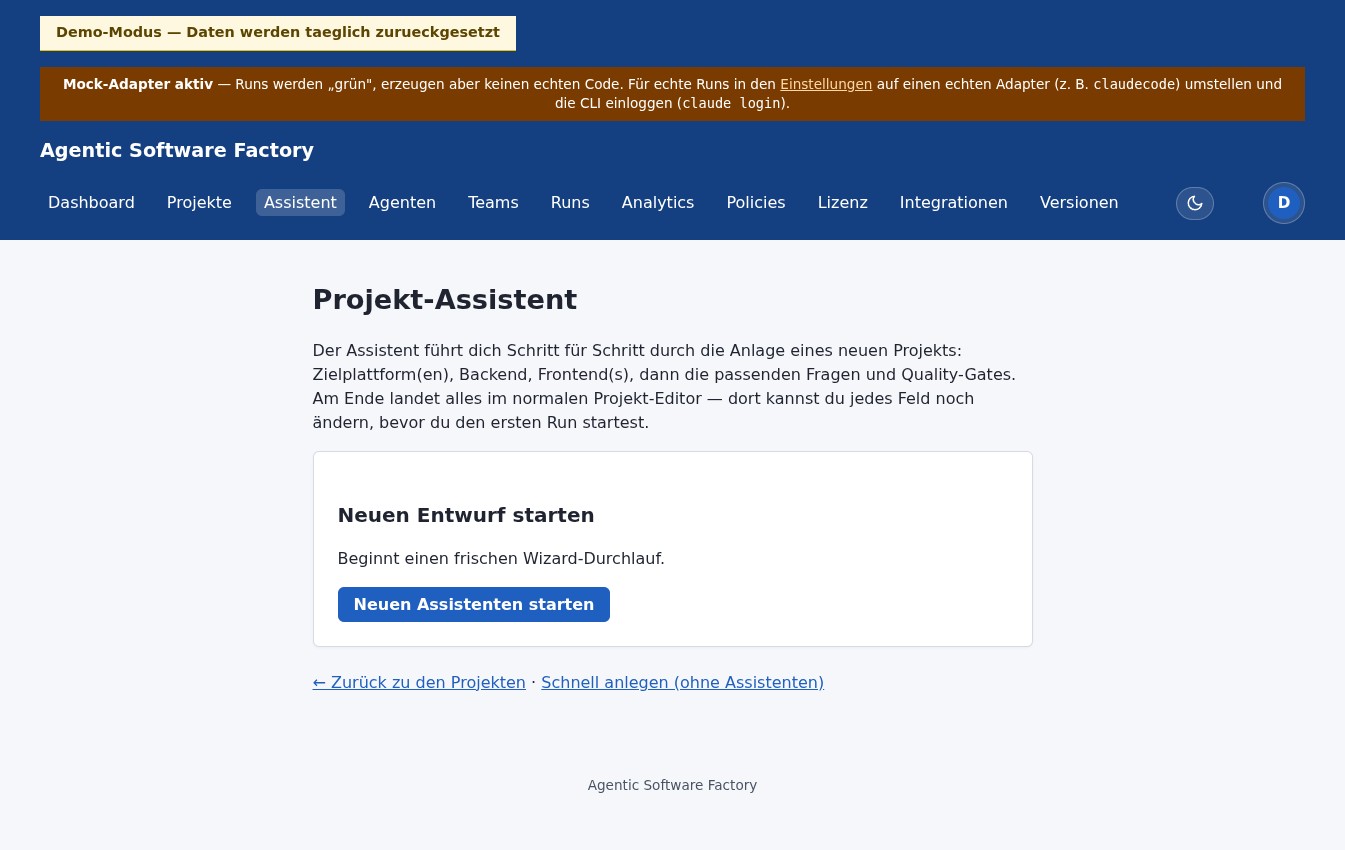
Create a project (wizard)
Via Project assistant: six steps, 18 templates across target platform × backend × frontend (Spring Boot, Quarkus, .NET, Python/FastAPI, Node/Express, Static Frontend, React, Angular, Vue, Thymeleaf, Vaadin, Blazor, Flutter, React Native, MAUI, WPF, JavaFX, Existing-Repo-Import). A cost estimate and an initial-prompt preview appear before you finish. At the end: structured Markdown artifacts.
-
Start a run
Tab Runs → New run. Adapter:
mock(important). Set ready, Start. Phase table shows progress throughINTAKE→PLANNING→ ... →COMPLETED. Live logs stream over SSE. -
Approval with diff (if the run waits there)
At
WAITING_FOR_APPROVALan inline diff of the workspace changes since run start is embedded. Approve and continue. -
Try the quality gate
Run detail → Quality Gate. Pick static reviewers (Security, Architecture, Hallucination) and lenient policy. Verdict, aggregated confidence and findings by severity appear.
-
Look at changelog and license model
Under
/changelogthe version history. Under License the V1 license system (Ed25519 JWT, three tiers). In the demo license enforcement is disabled. -
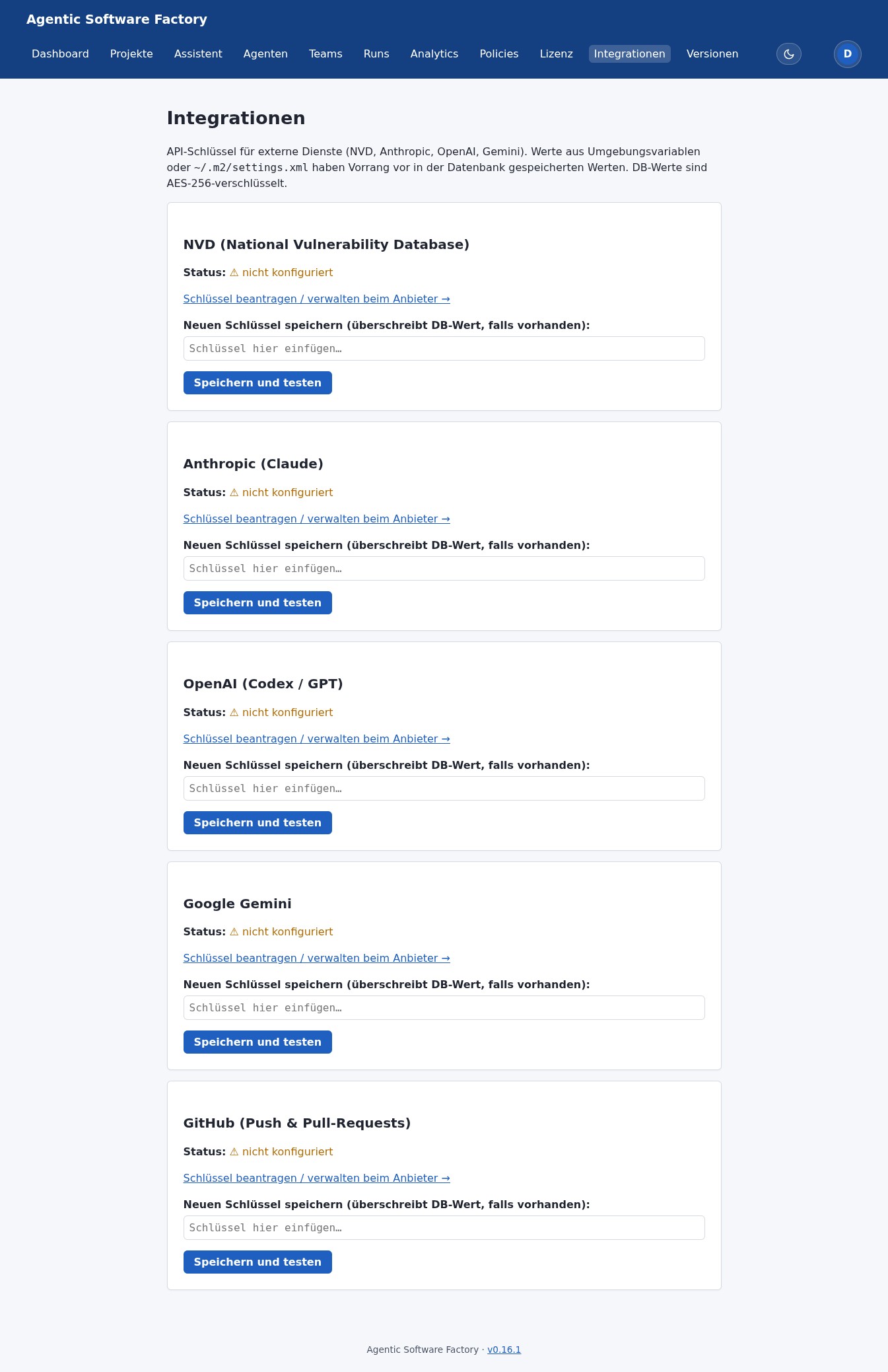
Open the integrations page
Under Integrations the management of API keys (NVD, Anthropic, OpenAI, Gemini). No real keys are stored in the demo — deliberately. You can still see what the status and validation UI looks like.
What deliberately doesn't work
- Real vendor calls — no Claude/Codex/Gemini/Aider calls in the demo. Install locally with your own keys to try.
- External webhooks and mails — nothing goes outbound.
- Persistent data — all wiped at the nightly reset.
After the demo
- Install locally — see Download and Quickstart.
- Get in touch — via Contact or info@softwarefabrik.io for Professional or Enterprise licenses.