
What is the Software Factory?
A local web application that structures, supervises and traces AI-assisted development processes. You don't work directly with the CLI of Claude Code, Codex or Gemini, but through a UI-centric control plane.
Think of the platform as a cockpit: you describe your project, pick your team of agent roles, define a goal — and the platform starts a run, collects logs, tokens and cost, and at the end delivers a reproducible workspace with Git history, build status and quality-gate result.
Key facts v0.30.0:
The mental model
The platform thinks in five layers. Once you grasp them, you'll find your way around in the UI immediately:
- Project — idea, goal and requirements, as a draft, then as Markdown artifacts.
- Artifacts —
PROJECT.md,INSTRUCTIONS.md,AGENTS.md,WORKFLOW.md,DEFINITION_OF_DONE.mdas the agent's working basis. - Team — collection of agent roles with guardrails and model assignment.
- Run — concrete execution with status, phases, logs, token usage and cost.
- Quality Gate — automatic evaluation of the result by multiple reviewers.
Logging in
After the local start (e.g. via docker compose up) you reach the platform in the browser. Login uses an administrative account created at bootstrap from configuration:
SOFTWAREFABRIK_ADMIN_USER=admin
SOFTWAREFABRIK_ADMIN_PASSWORD=ChangeMe-2026!
If you just want to look: Live demo at demo.softwarefabrik.io. You're auto-logged-in as demo; daily reset at 04:00 UTC.
Understanding the dashboard
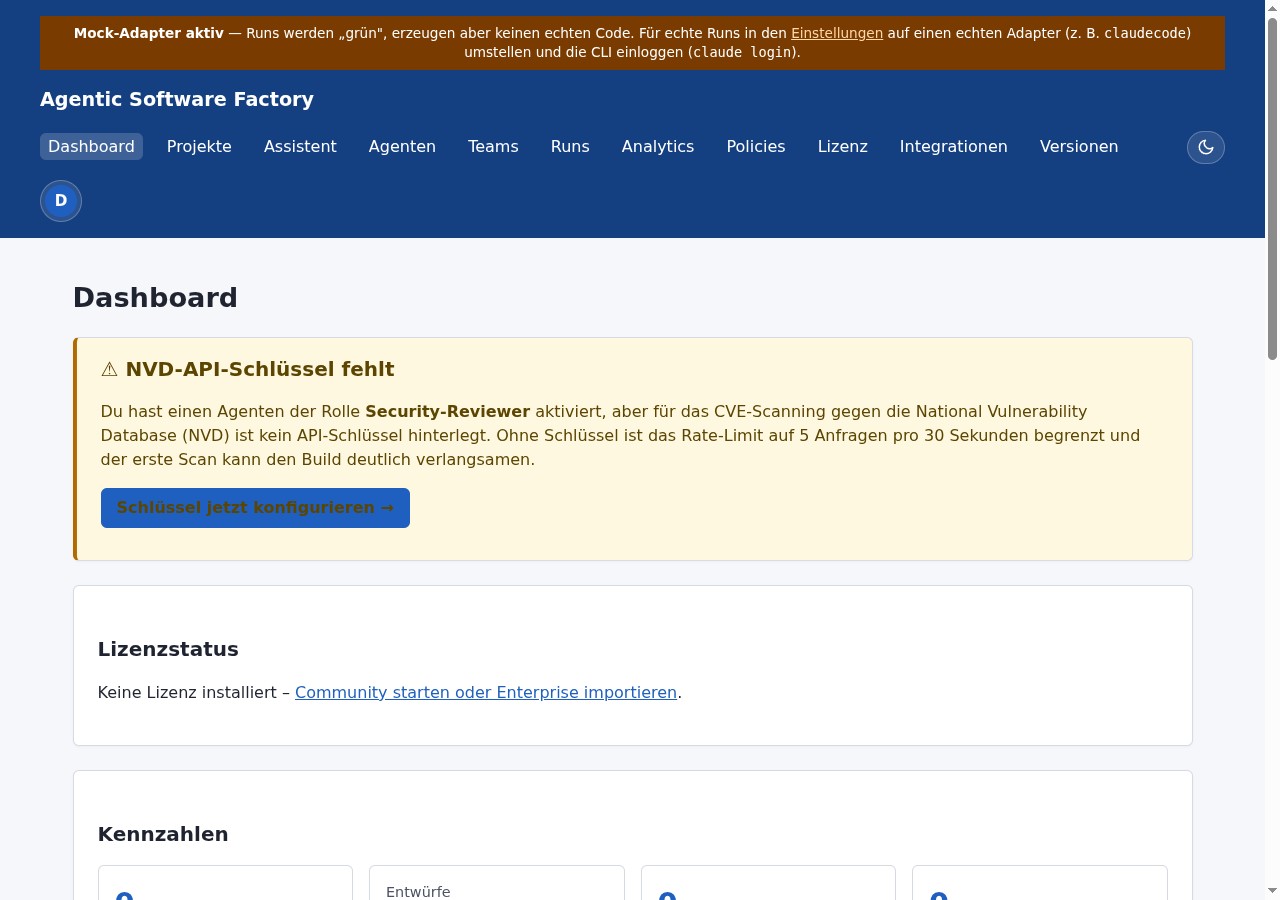
After login you land on the dashboard — the command centre for projects, runs and status overviews:
- Top metrics: projects (total / draft / active), active runs, 14-day token consumption, 14-day cost in EUR.
- Charts: run activity, token distribution input/output and EUR cost curve — entirely server-rendered SVG.
- Recent projects: quick re-entry into existing work.
- Recent runs: direct jump to logs, Git status and phases.
Create a project
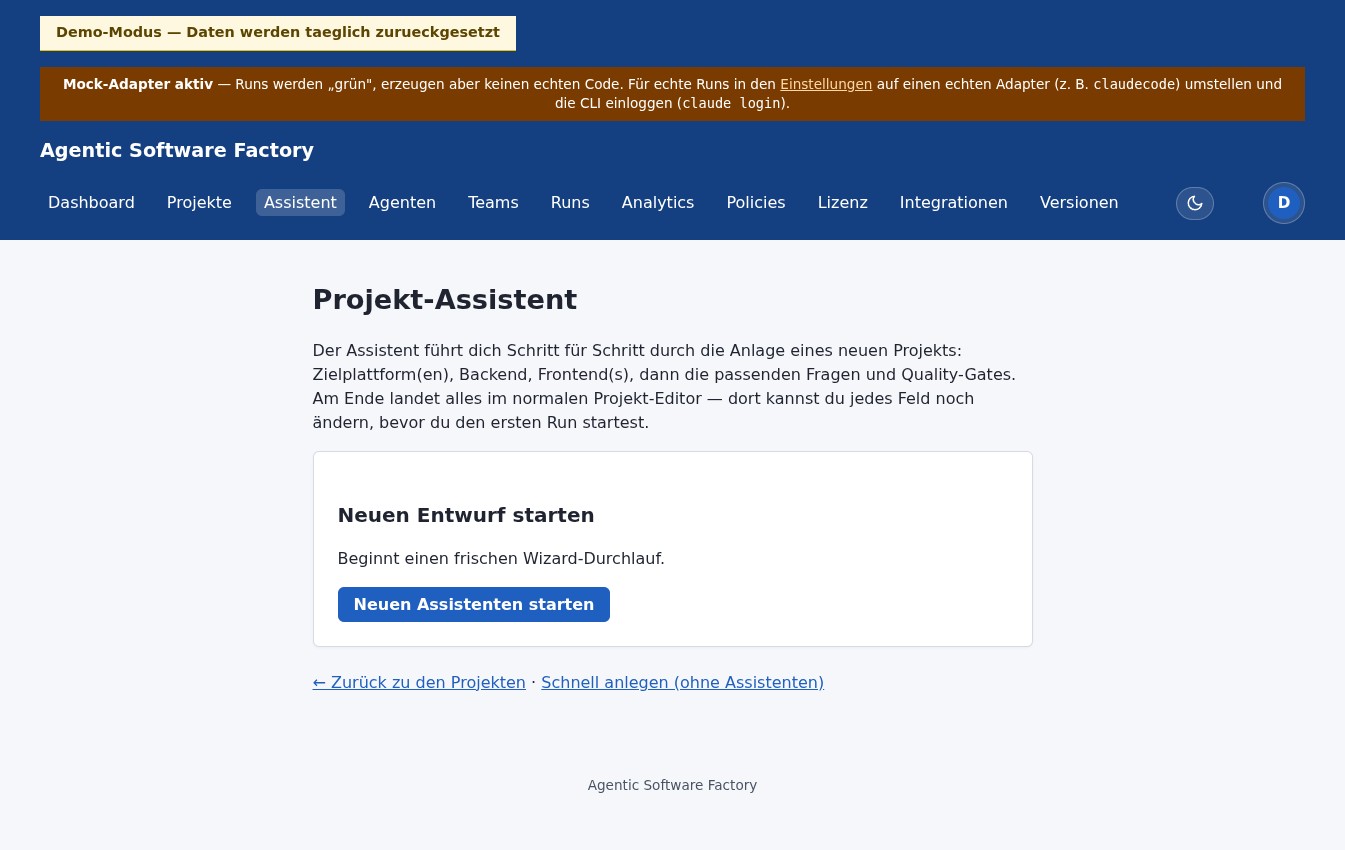
Two paths:
- Project wizard (recommended): six-step wizard with stepper, template selection, quality-gate toggles and a summary with cost estimate and objective preview.
- Quick create: minimal form (project title, product name) — you land directly in the editor.
On completion the structured Markdown artifacts are produced. The wizard also writes the initial-objective prompt that later serves as the agent's input on the first run.
Filling in the project content
In the project editor you maintain the actual project content. These fields feed directly into the generated Markdown artifacts. The more precise you are here, the more reliable the run later:
- Vision: 2–4 sentences. What should the result be?
- Target audience: Who will use the software?
- Technology preferences: Stack, versions, frameworks. Pre-filled when you used the wizard.
- Architecture preferences: Database, architecture style, package layout.
- Security & accessibility: Project-specific requirements.
- Non-functional requirements: Performance goals, SLAs.
- Git workflow & docs: Branching model, commit conventions.
- Language: Drives the language of the generated artifacts (de/en).
- Free text: Anything that doesn't fit elsewhere.
Generating the Markdown artifacts
One click on Generate Markdown artifacts produces six specification files for the coding agent:
| File | Purpose |
|---|---|
PROJECT.md | Vision, audience, requirements — the project's “charter”. |
INSTRUCTIONS.md | Concrete operating instructions for the agent. |
AGENTS.md | Roles in the team (Architect, Developer, Reviewer …) including model assignment. |
WORKFLOW.md | Phase model, approval gates, branching conventions. |
DEFINITION_OF_DONE.md | When is a run done? Build green, quality gate passed, … |
README.md | Reading entry-point for the agent inside the workspace. |
Settings and defaults
As bootstrap admin you get the /einstellungen area. Values apply globally, but can be overridden per project (override order: PROJECT > USER > GLOBAL > YAML). Examples:
workspace.root— where run workspaces are created.execution.adapter.default— default adapter for new runs.execution.sandbox.variant—localorcontainer.execution.claudecode.model— default model for Claude.budget.daily.tokens,budget.weekly.tokens— token caps.
SettingService uses a 5-minute TTL cache.
Team and roles
Classic roles: Architect, Developer, Reviewer, QA, Security Reviewer, Documentation, Merge/Release. Per project a team from a selection of those. On run start, the team lands in AGENTS.md. Each role can have a preferredModel — the Claude Code adapter appends it as a --model flag, falling back to the CLI default for unknown IDs.
Creating and starting a run
A run binds project, goal and team into a concrete execution. Fields:
- Project: required. Pick from drafts or active projects.
- Team: optional. Default is the project's team.
- Run title: required. Short and meaningful, e.g. “Initial scaffolding for the BFF skeleton”.
- Goal: required. What should the run actually do? Be detailed — the agent reads this as a top-level instruction.
- Adapter: only if you want a non-default one.
A new run starts in DRAFT. You move it to READY and then deliberately click Start run. Two confirmation points before tokens get burned — by design.
Monitoring a run
While a run is active you mostly use three views:
Run detail
Status (RUNNING / PAUSED / WAITING_FOR_APPROVAL / COMPLETED / FAILED), current phase, token and cost figures. Pause / Resume / Cancel buttons.
Logs (live)
Server-Sent Events stream agent output to the browser. 20 s heartbeat, 5 s auto-reconnect, auto-scroll toggle.
Git view
Branch, commit list, working tree and diff. You see in real time what the agent writes into the workspace.
The quality gate
At the end of a run (or any time during it) you fire the quality gate. It calls multiple reviewers, aggregates their findings and produces a verdict:
Available reviewers (five):
- architecture-reviewer — checks layer and module boundaries.
- hallucination-review — looks for invented methods / packages.
- security — static heuristic for typical security smells.
- aider-review — invokes the Aider CLI in read-only mode.
- claude-review — invokes the Claude Code CLI in read-only mode.
- dependency-scan — Trivy scan for CVEs and licence violations in dependencies.
SECURITY/HIGH and ARCHITECTURE/CRITICAL. Reviewer crashes are surfaced as ERROR rather than swallowed.
The iterative SDLC loop
A single run is just one building block. Across multiple runs the platform closes a complete, self-sustaining software lifecycle — from proposal through build to delivery as a pull request — and then starts over. On a project-persistent workspace the state is preserved between runs, so work builds on what came before instead of starting from scratch each time.
- Plan — a plan run produces proposals for the next steps as
plans/*.md. They then show up as the backlog. - Select — in the backlog you activate the proposal to be implemented next.
- Build — a build run implements the proposal on its own branch (
sdlc/run-…) on the project-persistent workspace. - Self-correction — if the build fails, the factory feeds the build feedback automatically into another run on the same branch (a limited number of attempts, transition
NEEDS_CORRECTION→RUNNING). - Quality gate — after a successful build the AI quality gate checks the result. The mode is selectable: off, advisory or blocking.
- Deliver — with a Git remote set and a GitHub token configured, the branch is pushed and a pull request is opened automatically. Without a remote/token, a local merge into the base branch happens instead.
- Learn — the project memory records decisions and learnings that flow into every follow-up run.
- Continue — optionally a successful build automatically triggers the next plan run (auto follow-up proposals) — the loop closes and starts again at Plan.
Policies & approvals
Policies decide which run phases proceed automatically and where a manual approval is required. By default, low-risk phases run automatically; before execution and before completion the platform waits for an explicit user decision. That guarantees no run silently commits something heavy.
A run moves through seven phases: INTAKE → PROMPT_ASSEMBLY → WORKSPACE_PREPARATION → EXECUTION → VALIDATION → CORRECTION → COMPLETION.
Tips for everyday use
- Start with the mock adapter before plugging in a real vendor API key. Mock yields deterministic pseudo tokens, so you see the platform mechanics without paying.
- Keep the run goal small. Three runs of “create skeleton”, “write tests”, “add docs” beat one mega run.
- Fire the quality gate early, not just at the end. Findings accumulate otherwise.
- Watch logs and Git view in the first minutes. If the agent goes off course, abort early instead of burning tokens.
- Use the wizard as a learning tool: step 4 shows you what the platform makes of your answers — a good cheat sheet for the regular editor fields.
The first 30 minutes — guided walkthrough
Just logged in and not sure where to start? Here's a deliberately small-step sequence that delivers a first success in 30 minutes.
-
Minute 0–2: scan the dashboard
If everything is at zero, you're on a fresh instance. If there are values, it's a demo or someone else's prior instance.
-
Minute 2–10: walk through the wizard
Click “New project with assistant”. Choose “Modern Spring Boot Backend”. Answer the questions — pick example values everywhere; you can edit later. Toggle ArchUnit as the only quality gate. Finish.
-
Minute 10–15: explore the project editor
You land at
/projects/<id>/edit. See what the platform did with your answers — especiallytechnologyPreferences,architecturePreferencesandnonfunctionalRequirements. Click “Generate Markdown artifacts”. -
Minute 15–18: read the artifacts
Open
PROJECT.md,INSTRUCTIONS.md,AGENTS.md. You don't have to understand everything — but can you see how your wizard answers became a coherent brief? -
Minute 18–25: create a run
Click “New run”. Pick the project, give it a title (“create skeleton”) and a goal (“Set up the initial Maven project with Spring Boot, a health endpoint and a first smoke test”). Pick the mock adapter — it costs nothing and you see the mechanics. Move to
READY, then “Start run”. -
Minute 25–30: watch live
You land on the run detail page. Logs stream in. Watch the token counter, the phase updates, the Git status. When the run finishes (mock takes ~10 s), peek at the workspace diff.
Glossary — every term in one line
| Term | Meaning |
|---|---|
| Adapter | Backend component that talks to a concrete coding CLI (Claude Code, Codex, Gemini, Aider, mock). |
| Agent / agent role | Logical role like Architect, Developer, Reviewer. Described in AGENTS.md and read by the coding agent as context. |
| Approval | Manual gate between run phases. Prevents critical steps from running without confirmation. |
| Artifacts | The six Markdown files (PROJECT.md …) the agent reads as specification. |
| Auto follow-up proposals | Optional feature: a successful build run automatically triggers the next plan run, so the SDLC loop keeps turning on its own. |
| Backlog | List of proposals produced by the plan run (plans/*.md). The next step to implement is activated from the backlog. |
| Bootstrap admin | The initial admin account created at first start from SOFTWAREFABRIK_ADMIN_USER/PASSWORD. |
| Budget | Token cap per day or week. Soft threshold warns, hard mode blocks new runs. |
| Draft | Status of a project or wizard draft: not final, still editable, not yet in use. |
| Mock adapter | Test adapter that works without an API key. Writes deterministic pseudo content into the workspace. Ideal for learning. |
| Phase | Section of a run. Seven in fixed order: INTAKE, PROMPT_ASSEMBLY, WORKSPACE_PREPARATION, EXECUTION, VALIDATION, CORRECTION, COMPLETION. Visible in the run detail. |
| Plan run | Run type that doesn't build but produces proposals for the next steps as plans/*.md — the source of the backlog. |
| Build run | Run type that actually implements a selected backlog proposal on its own branch (sdlc/run-…). |
| Policy | Rule set defining when a run continues automatically vs. where approval is required. |
| Project memory | Project-bound store of decisions and learnings that flows into every follow-up run, enabling continuous, iterative development. |
| Pull request | GitHub PR opened automatically for the run branch on delivery (with a remote + token set). Without a remote/token: a local merge into the base branch. |
| Self-correction | Automatic feedback loop: a failed build is retried with the build feedback on the same branch (limited attempts, NEEDS_CORRECTION → RUNNING). |
| Quality gate | Aggregated verdict over multiple reviewer findings: PASSED / WARNING / FAILED / SKIPPED / ERROR. |
| Reviewer | Read-only component that inspects a run output (CLI-based or static heuristic). Six reviewers are available (claude-review, aider-review, security, architecture-reviewer, hallucination-review, dependency-scan). |
| Run | Concrete execution of a coding agent against a project. Has status, phases, logs, token usage and a Git workspace. |
| Settings | Global platform configuration at /einstellungen. Adapter defaults, workspace path, budget. ADMIN-only. |
| Team | Bundle of agent roles assigned to a project, surfaced in the artifacts. |
| Toggle (quality gate) | In the wizard: switch for ArchUnit / OWASP / Trivy / Playwright. Active toggles appear as sections in the generated initial prompt. |
| Version cache | DB table with daily-refreshed “latest stable” versions for Spring Boot, ArchUnit, Trivy, etc. Source for wizard pre-fill. |
| Wizard | Six-step assistant at /wizard for guided project creation. |
| Workspace | Per-run local directory where the coding agent writes its files. Defaults to ./workspaces/<run-id>/. |
Common pitfalls for beginners
From the experience of early adopters — typical friction points and how to avoid them:
“There's no login button”
The platform starts with an empty database. If you haven't set a bootstrap admin, no account is created. Set SOFTWAREFABRIK_ADMIN_USER and ...PASSWORD in .env, then docker compose up again.
“My run is stuck in DRAFT”
A new run is always DRAFT. You first move it to READY, then click “Start run”. Two deliberate clicks before any tokens get spent.
“Logs aren't showing up”
SSE connections sometimes get stuck behind reverse proxies or corporate firewalls. Check your DevTools console. The platform auto-reconnects after 5 s — if that's not enough, the run detail page falls back to polling.
“My adapter fails”
Vendor adapters need API keys. Set them at /integrations or via env vars. The mock adapter never has this problem — use it for first tests. If a CLI isn't installed locally, the run log surfaces a clear error.
“I have a wizard draft that won't go away”
Drafts without completion stay in the DB. End them explicitly via “Discard wizard” on the summary page, or let the cleanup job remove them automatically after 30 days.
“The version cache is empty / stale”
On a fresh install the daily refresh hasn't run yet — you see the fallback values from code. Hit “Refresh now” at /einstellungen/wizard/versions to trigger a lookup immediately (needs internet).
“Quality gate says FAILED, but I see nothing”
Click on the quality-gate result in the run detail. You see findings per reviewer with confidence scores. SECURITY/HIGH and ARCHITECTURE/CRITICAL are always blocking — even with policy lenient.
“I'm burning too many tokens”
Set a budget at /einstellungen (daily or weekly). Hard mode blocks new run creation at > 100 % usage. The default soft threshold (80 %) just warns — sensible for the first few weeks.
Where to go next
Architecture overview
How the layers fit together — for going one level deeper.
Quick start
The shortest path to a first local run with the mock adapter, no API cost.
Tutorial
Full workflow against Claude Code — from project draft to commit.
FAQ
Answers to typical questions about licensing, adapters, security, air-gap.
Live demo
Click through a real instance — no login, no install.
Whitepaper
Architectural background on agentic software development.